

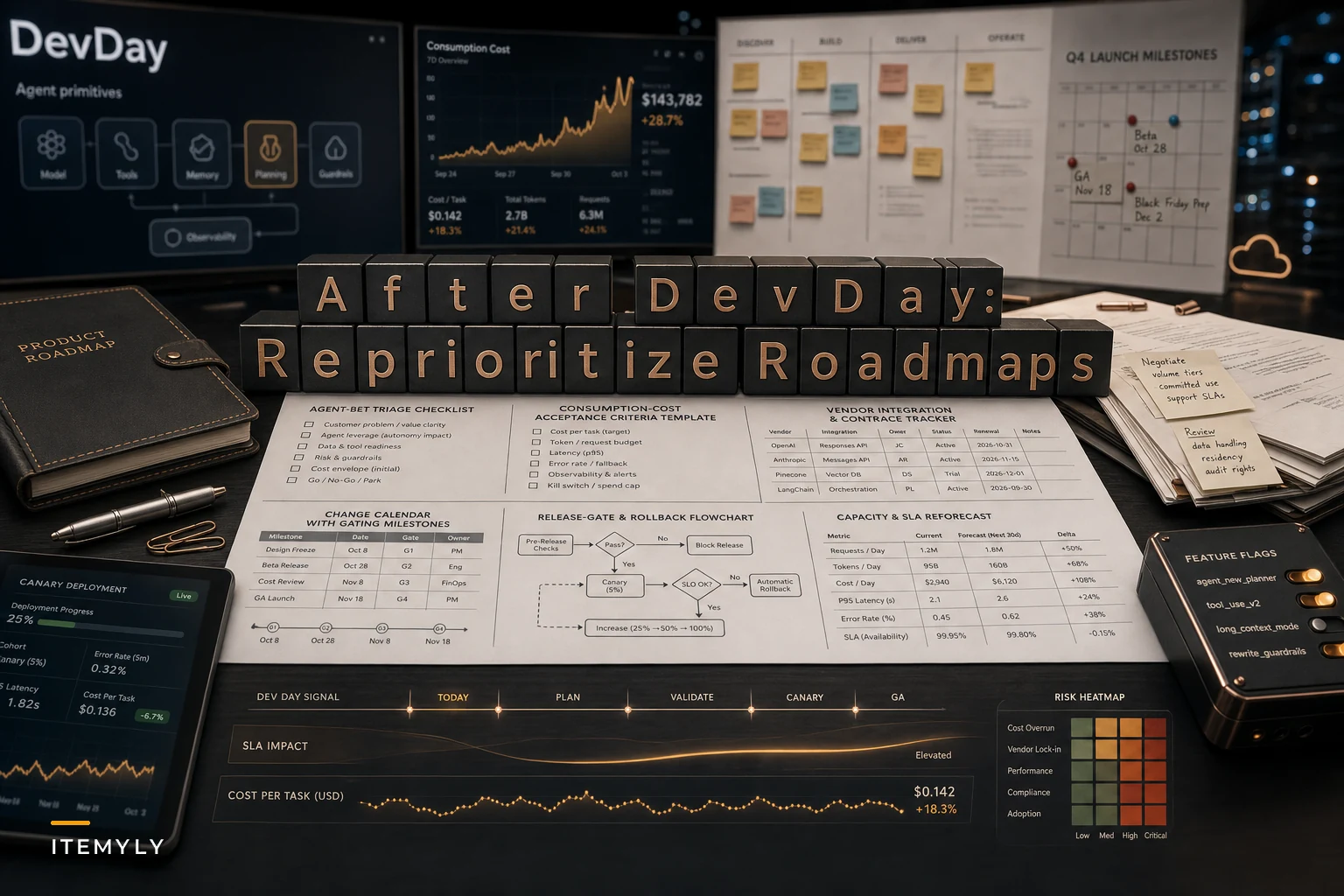

OpenAI's DevDay on September 29, 2026 did two things that matter more together than apart. First, it introduced "Dots"—always-on agents designed to run continuously rather than fire on a single prompt. Second, as CNBC reported in its DevDay recap, the company leaned harder into consumption-based pricing and expanded enterprise tooling. The combination is the real story. An agent that runs all day on a metered bill is a fundamentally different animal than a chatbot you call a few times per session.
Most of the roadmap advice floating around right now focuses on capabilities—what you can build now that agents can act more autonomously. That's the exciting part. The part that actually breaks roadmaps is the economics. When your cost per feature stops being a fixed infrastructure line and becomes a variable tied to user behavior you can't fully predict, most of the prioritization assumptions you've been working from quietly become wrong.
This post is about that second problem. Not "should we build agents" but "how do we plan, estimate, gate, and commit to agent-driven features when the vendor just moved a significant chunk of cost and risk onto us."
The assumption that just broke
Backlog estimation has always leaned on a comforting fiction: that the cost of running a feature is roughly stable once you ship it. You estimate dev effort, you ship, you move on. Hosting costs crept up with scale but predictably enough that nobody blocked a launch over them.
Agent features don't behave that way. An always-on agent consumes tokens whether or not the user is getting value in that moment. A support agent that re-checks a ticket queue every few minutes is burning money on the 90% of checks where nothing changed. Multiply that across your user base and the cost curve isn't linear with signups—it's linear with agent runtime, which is a number most teams don't currently track.
Worth internalizing: with consumption pricing, your worst users by margin are often your most engaged ones. A power user running three agents simultaneously becomes a liability instead of a reference account. That inverts how most product teams instinctively prioritize. "Drive engagement" was always a safe north star. Now it needs a cost footnote.
Reprioritizing the backlog: favor cheap proofs over clever ones
The first practical move is changing what kinds of experiments you greenlight. Before consumption-based pricing, a reasonable discovery approach was "build a decent prototype and see if people use it." When each prototype run has a metered cost and the agent is always-on, that approach quietly bleeds budget during the phase where you're least sure the thing works.
Eliminate product chaos and align your team.
Itemyly helps you plan, prioritize, and track every product milestone seamlessly.
- Centralized roadmap management
- Stakeholder collaboration
- Release tracking & analytics
No credit card required
Reorder the backlog so the cheapest possible proof comes first. That usually means:
-
Scripted or capped agents before open-ended ones. Prove the workflow with a tightly bounded agent—fixed number of steps, hard token ceiling—before you let it run freely.
-
On-demand before always-on. Validate that the feature is actually useful when triggered manually before paying for it to run continuously.
-
Narrow before broad. A single-use-case agent you can cost-model beats a general assistant whose spend depends on whatever users imagine it can do.
Stop asking "will users like this?" and start asking "what's the cheapest version of this that would tell us if users like it?" That question was always good practice. Consumption pricing just made it financially unavoidable.
Cost observability belongs in your acceptance criteria now
This is the part most teams skip and end up regretting. For a long time, cost was finance's problem and uptime was ops' problem. Agent features collapse those into a single product concern—an agent that's technically working but quietly costing four times its projected spend is a defect, even if every test passes.
That means acceptance criteria for agent features need to include cost and usage conditions, not just functional ones. A reasonable template:
| Criteria type | Old agent-less feature | Agent-driven feature |
|---|---|---|
| Functional | Does the action succeed? | Does the action succeed? |
| Performance | Response under X ms | Response under X ms and within token budget |
| Cost | (usually ignored) | Cost per completed task under $Y; alert at Z |
| Usage SLO | N/A | Agent idle-runtime below threshold |
| Containment | N/A | Hard spend cap per user/session that fails safe |
Surface per-task cost and idle-runtime on your release dashboard alongside latency and error budgets.
The "fails safe" line matters more than it looks. When an agent hits its cost ceiling, what happens? If the answer is "it silently stops and the user has no idea," you've built a reliability problem disguised as a cost control. Decide the degraded-mode behavior before launch, not during the incident.
The teams that handle this well treat a per-task cost number the same way they treat a p95 latency number—something on a dashboard, something with a threshold, something that can block a release.
Tighten release gates and lean harder on canaries
Consumption-based agent features can fail in a way that's genuinely new: they can be correct and catastrophic at the same time. A vendor pricing change, or a prompt tweak that makes the agent slightly more thorough, can double runtime without changing a single visible output. A standard functional canary won't catch it because the feature still "works."
So the canary has to watch spend, not just errors. A workable gate for agent features:
-
Canary to a small cohort with a hard aggregate spend cap. If the cohort's total consumption crosses the cap, the rollout halts automatically.
-
Watch cost-per-task and idle-runtime, not just success rate. A flat success rate with climbing cost-per-task is your early warning.
-
Hold the canary across at least one full usage cycle. Agent costs often spike on the days real work happens, not on launch day. A 48-hour canary over a quiet weekend tells you almost nothing.
-
Require a manual cost sign-off before full rollout. Someone who owns the budget confirms the projected spend at 100% is acceptable.
-
Keep the flag. Agent features need a kill switch far more than typical features, because the failure mode is financial and it compounds every hour you leave it running.
The mistake is treating agent rollouts like normal feature rollouts with an extra note about tokens. They're closer to infrastructure changes—the blast radius is your bill.
The deeper problem: you don't fully control your own cost curve
DevDay exposed something important. When a vendor shifts to consumption pricing and ships always-on primitives, your product's unit economics are now partially set by someone else's pricing team. A model price change, a new tier structure, a quiet adjustment to how tokens are counted—any of those can move your margins without a single line of your code changing.
That's a vendor-dependency problem wearing a product-feature costume. And it's the part roadmaps consistently underweight, because the dependency doesn't show up as a blocked ticket. It shows up three months later as an unexpected bill.
This is exactly why governing vendor roadmaps deserves a real seat in your planning cadence. If you haven't built a practice for tracking vendor change windows, pricing signals, and integration risk, the approach in our breakdown on how vendor dependencies delay launches maps cleanly onto AI vendors—the key difference now is that the dependency affects your variable cost, not just your delivery date. Treat vendor pricing announcements the way you'd treat a breaking API change: something that triggers a review, not something you absorb quietly.
A concrete habit worth building: maintain a one-page "AI vendor exposure" sheet. For each agent feature, note which vendor it depends on, the current cost model, what a 2x price increase would do to that feature's margin, and whether you have a fallback. Most teams can't answer the fallback question today. That's exactly why it's worth writing down.
A real scenario
A small B2B SaaS team—around 25 people, mid-market document-review product—shipped an always-on agent that monitored client folders and flagged compliance issues as files arrived. Great demo. Churned heavily on cost within the quarter.
The problem wasn't the feature itself. It was that a handful of heavy clients uploaded in bursts, and the always-on monitoring kept re-scanning folders that hadn't meaningfully changed. Projected spend had been modeled at roughly $1.20 per active account per month. Actual landed closer to $9–$11 for top-tier users, because cost scaled with folder activity, not account count.
What fixed it wasn't cheaper models. It was reordering the work. They re-shipped the agent as event-triggered—it woke on upload events rather than polling constantly—and added a per-account monthly spend cap that degraded gracefully to a daily batch scan when hit. Cost per heavy account dropped back toward the $2–$3 range.
The lesson that stuck: the always-on version wasn't a better product, it was just a more expensive assumption.
When always-on actually makes sense
Not every agent should be continuous, but some genuinely should. A quick decision guide:
-
Good fit for always-on the cost of missing an event is high, events are relatively rare, and you can detect them cheaply via webhooks or event streams rather than by polling.
-
Bad fit for always-on the agent spends most of its runtime confirming nothing changed, usage is bursty and unpredictable, or the value is basically the same whether the user triggers it manually or it runs on its own.
-
Who should probably wait teams without cost-observability in place. If you can't see per-task spend on a dashboard today, shipping an always-on agent means flying blind into a metered bill. Build the gauge before you build the engine.
The honest default for most teams right now is event-triggered or on-demand, with always-on reserved for the narrow cases where continuous monitoring clearly earns its cost.
Updating capacity forecasts and commitments
Capacity planning used to be about dev hours. Agent features add a second axis: consumption headroom. If you commit to an enterprise customer's SLA for an agent feature, you're now implicitly committing to a cost envelope under their usage patterns—which you may not have seen yet.
-
Define usage assumptions in writing, not just functional requirements.
-
Set the degraded-mode behavior when limits are reached, and make sure sales knows it exists.
-
Loop in legal and privacy early—always-on agents watching user data continuously raise questions that a request-response feature never triggered.
-
Give finance visibility into projected variable spend before the commitment is made, not after the invoice lands.
The teams that get burned here are the ones that treated agent feature cost as an engineering detail. It's a commercial term now.
Where this leaves your next planning cycle
A compact workflow overview of the steps you should run before fully committing to an always-on agent.
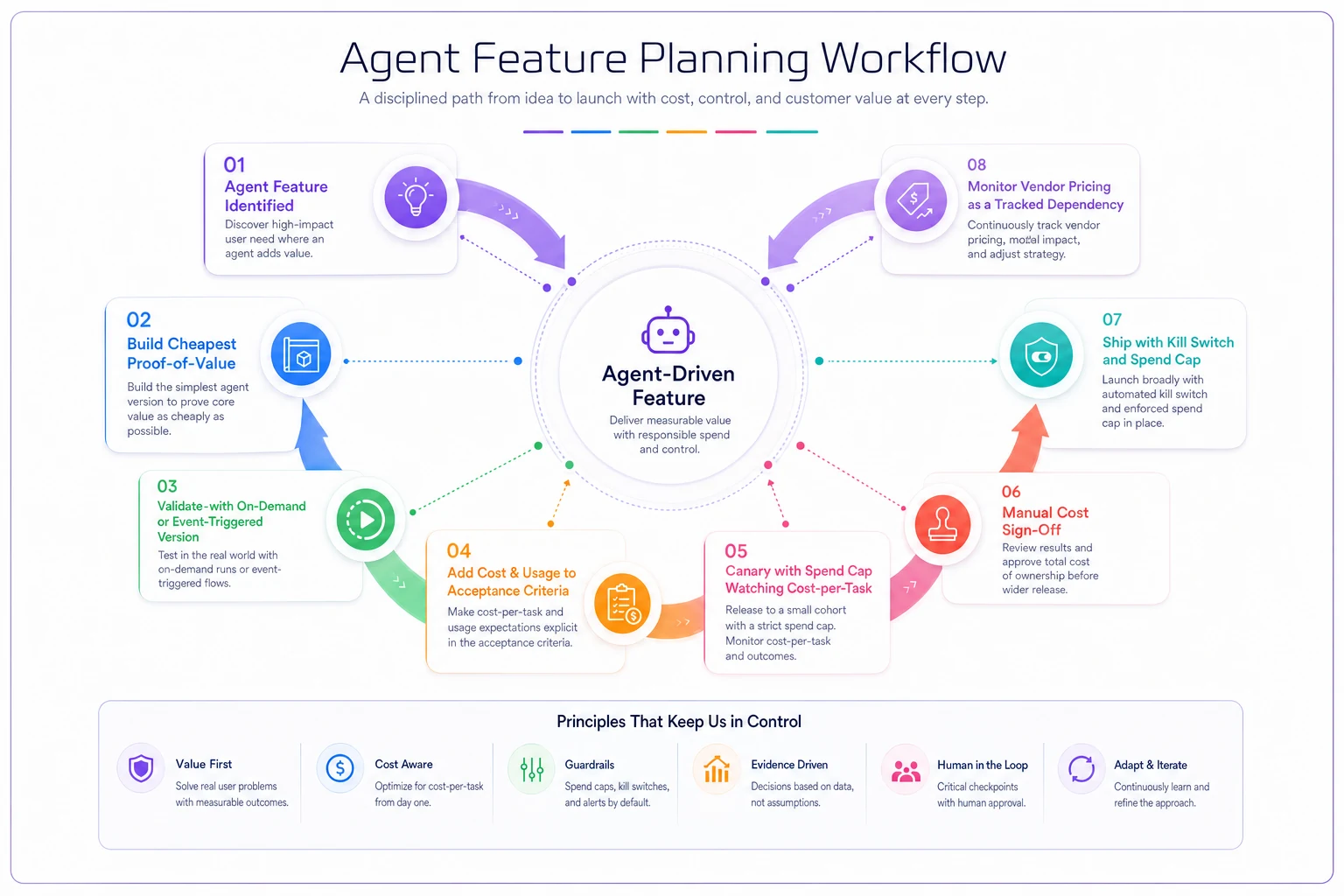
Use this flow as a lightweight checklist during discovery and rollout so cost controls are built in, not bolted on.
DevDay didn't just hand product teams new toys. It moved a meaningful slice of cost and operational risk from the vendor onto you, and it did it in a way that doesn't show up in your backlog until it's already expensive.
The right response isn't to slow down on agents—it's to change how you plan them. Cheaper proofs first. Cost and usage baked into acceptance criteria. Canaries that watch spend. Vendor pricing treated as a tracked dependency rather than a quarterly surprise.
An AI agents roadmap that ignores consumption economics will look great in the demo and fall apart on the invoice. The one that holds up treats each agent feature like a small business with its own unit economics—something you measure, cap, and can shut down—rather than a feature you ship and forget. Plan for the meter, not just the capability, and most of the DevDay-era surprises stop being surprises.
Ready to elevate your product management?
Join 2,000+ product teams using Itemyly to accelerate delivery, improve alignment, and build better products.